This video uses Unity 2023 and Meadow Studio 0.3. Most steps are still the same, but the written guide on this page is the source of truth.
Installing Unity
Your Unity installs and projects are managed through an application called Unity Hub. You need to download this software to install and use Unity. It’s similar to Adobe Creative Cloud.
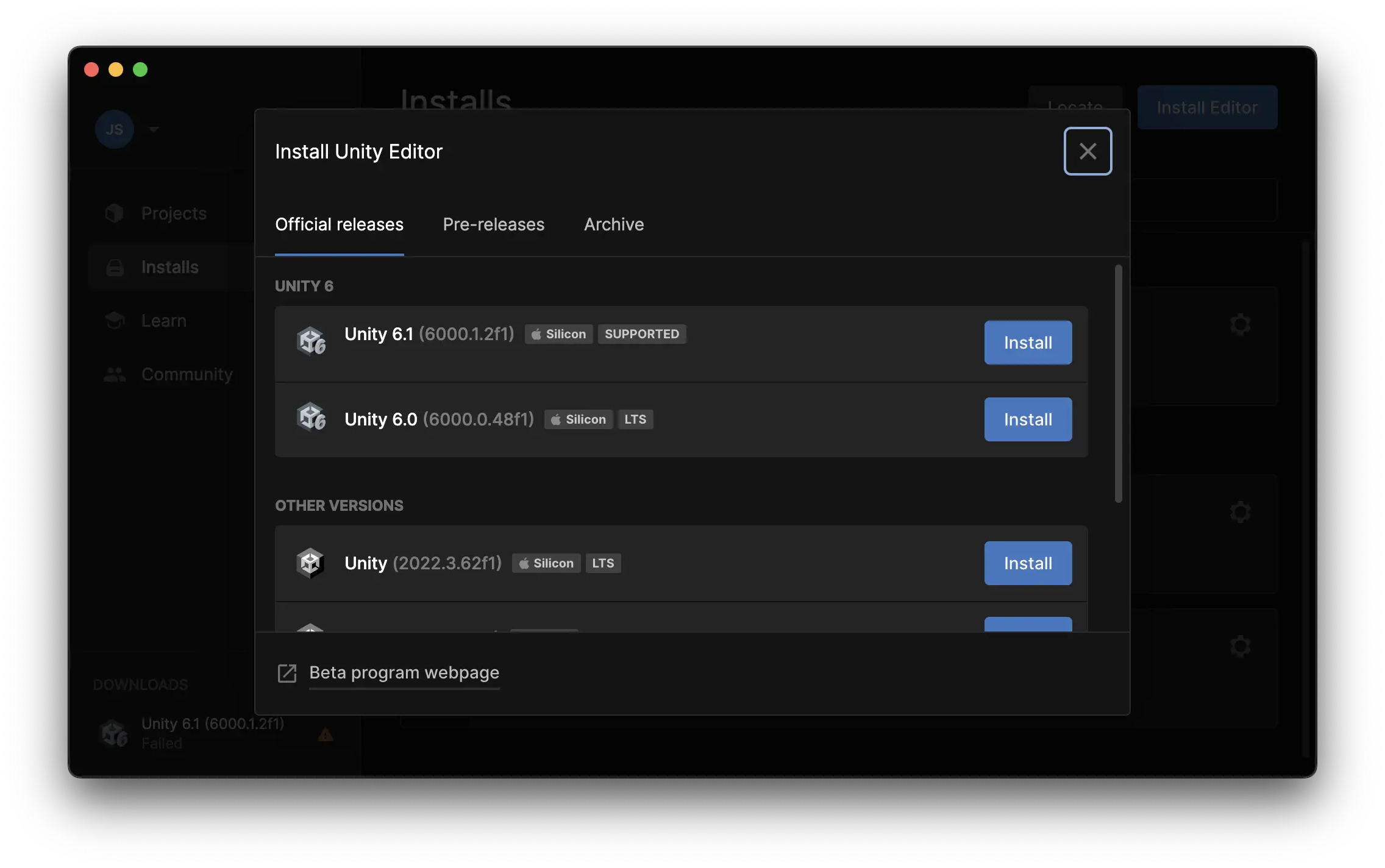
Install an editor. Unity publishes new versions often. Install Unity 6.3 LTS (any 6000.3.x version works), even if the Hub recommends a newer version. Newer versions like Unity 6.6 have not been tested with Meadow yet, but most features usually work. Problems tend to come up with VFX Graph and Shader Graph between Unity versions, so if your project relies heavily on VFX Graph or Shader Graph, stay on Unity 6.3.
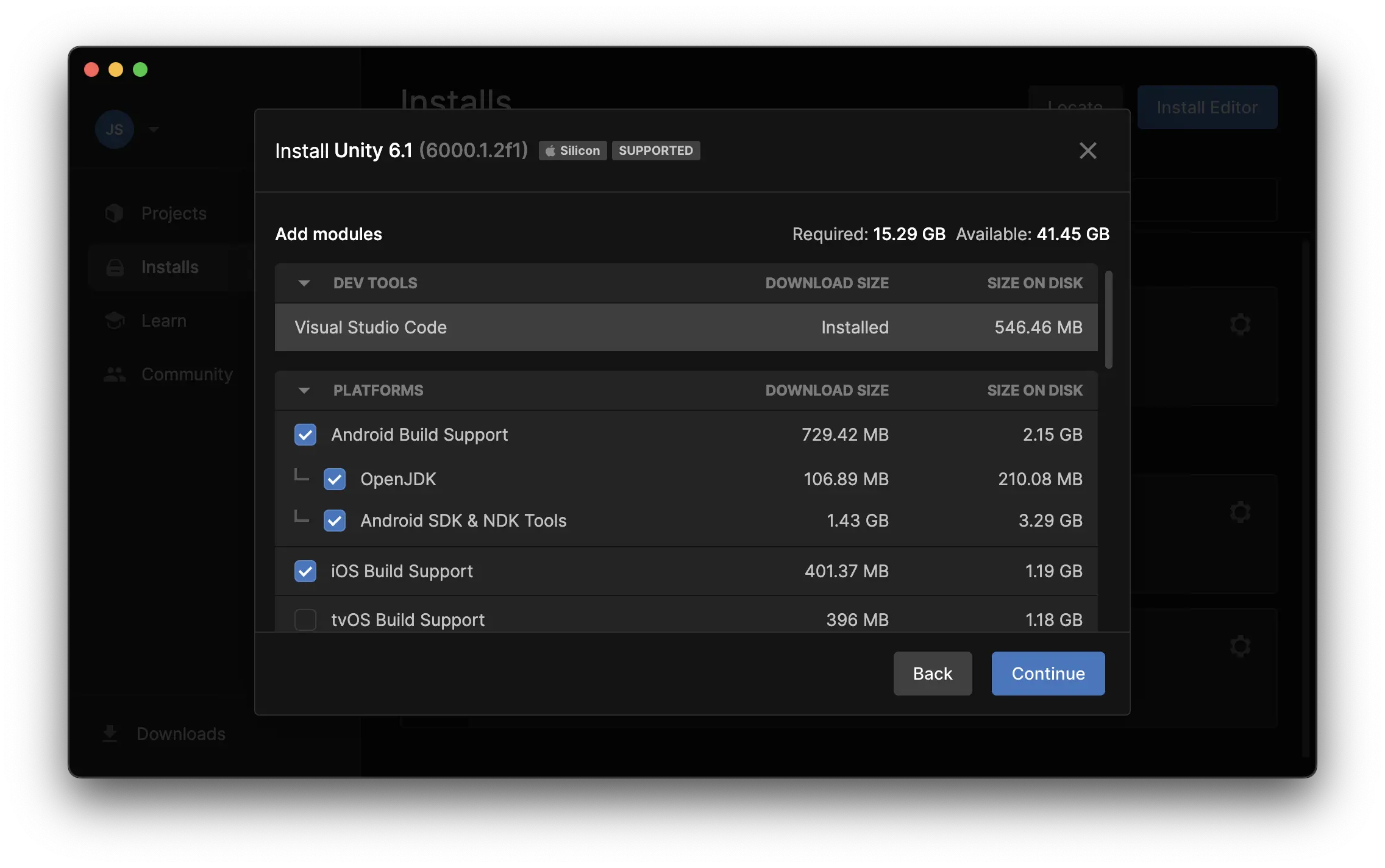
When prompted, install iOS and Android modules. At the moment both are needed even if you only plan on building for one platform.
Get a license. Use the free personal one. You do not need a Pro Unity License to use Meadow.
Important: Unity with the iOS and Android modules takes up more than 20 GB of disk space. The Hub shows how much is Required and how much is Available at the top of the module list. If Available is shown in red, there isn’t enough space, so free some up before you continue.
On this Page
This video uses Unity 2023 and Meadow Studio 0.3. Most steps are still the same, but the written guide on this page is the source of truth.
Installing Unity
Your Unity installs and projects are managed through an application called Unity Hub. You need to download this software to install and use Unity. It’s similar to Adobe Creative Cloud.
Install an editor. Unity publishes new versions often. Install Unity 6.3 LTS (any 6000.3.x version works), even if the Hub recommends a newer version. Newer versions like Unity 6.6 have not been tested with Meadow yet, but most features usually work. Problems tend to come up with VFX Graph and Shader Graph between Unity versions, so if your project relies heavily on VFX Graph or Shader Graph, stay on Unity 6.3.
When prompted, install iOS and Android modules. At the moment both are needed even if you only plan on building for one platform.
Get a license. Use the free personal one. You do not need a Pro Unity License to use Meadow.
Important: Unity with the iOS and Android modules takes up more than 20 GB of disk space. The Hub shows how much is Required and how much is Available at the top of the module list. If Available is shown in red, there isn’t enough space, so free some up before you continue.